

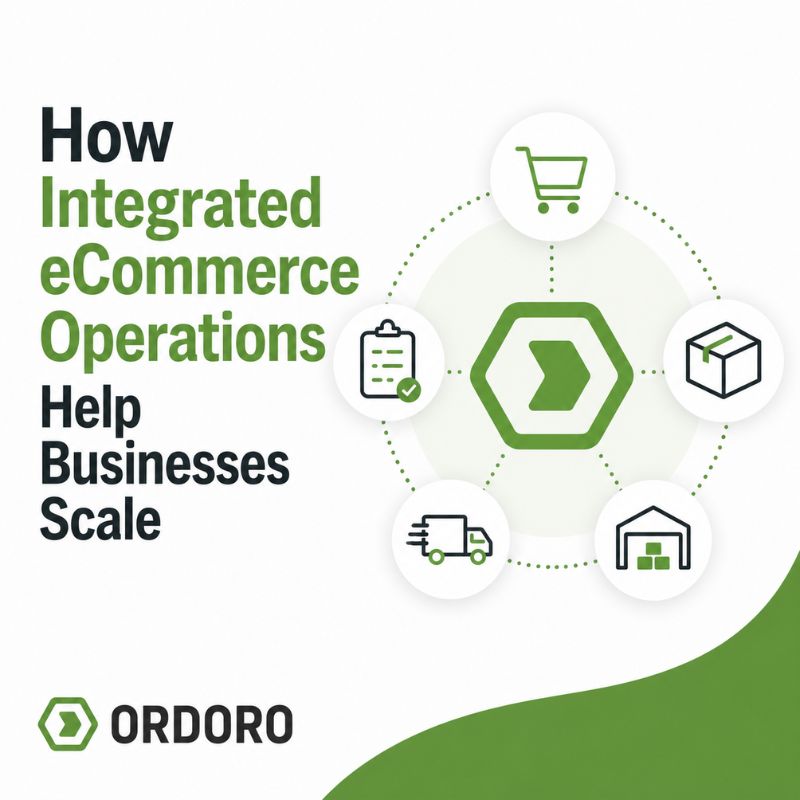
Update: We originally published this article in 2012 about the value of integrating business operations. Today, integrated eCommerce operations involve connecting sales channels, orders, inventory, purchasing, shipping, and fulfillment so teams can reduce manual work and manage growth with more reliable information.
An eCommerce business may begin with one storefront, one warehouse, and a few straightforward processes. Orders arrive in one place, inventory is easy to check, and the same person may handle purchasing, shipping, and customer questions. As the business grows, those responsibilities often spread across more people, systems, warehouses, and sales channels.
That growth can create a fragmented operation. Orders may need to be downloaded from one platform and uploaded into another. Inventory may be updated separately across marketplaces. Purchasing information may live in spreadsheets, while shipping labels are created in another system. Employees begin moving information manually just to keep daily work moving.
Integrated eCommerce operations bring those workflows together. The goal is not simply to add more software. It is to create reliable connections between the systems, teams, and partners involved in moving an order from purchase to delivery.
What Are Integrated eCommerce Operations?
Integrated eCommerce operations connect the systems and processes used to manage orders, inventory, purchasing, shipping, and fulfillment. Instead of treating each part of the business as a separate workflow, information moves between them as activity occurs.
For example, an order placed through a sales channel can enter the order management system, reduce available inventory, move into the correct fulfillment workflow, and return tracking information to the customer without requiring employees to reenter the same details several times.
An integrated operation may connect online stores, marketplaces, inventory systems, warehouses, suppliers, shipping carriers, dropshippers, fulfillment partners, accounting platforms, and reporting tools. The business does not need to replace every system with one platform, but it does need a dependable way for those systems to share the information required to complete each workflow.
Recognize When Systems Are Disconnected
Disconnected operations often become noticeable through small daily frustrations before they create a larger failure. Employees may download orders manually, compare multiple inventory reports, copy tracking numbers between systems, or rely on a spreadsheet that does not reflect recent sales or incoming stock.
These workarounds may feel manageable when order volume is low. As the business grows, every manual step becomes another opportunity for delays, duplicate work, and mistakes. The same information may be entered several times, and employees may spend more time checking systems than completing the work those systems are supposed to support.
Common warning signs include:
- Inventory quantities differ between sales channels
- Employees repeatedly enter the same order or shipment information
- Tracking updates are sent inconsistently
- Purchasing, receiving, and inventory records do not match
- Orders are delayed while someone checks stock or fulfillment status
- Spreadsheets are used to transfer information between systems
- One employee holds most of the knowledge needed to keep workflows moving
A disconnected operation does not always fail dramatically. More often, it creates a steady amount of avoidable work that becomes accepted as part of the job.
Businesses relying heavily on manual files may also benefit from reviewing the signs they have outgrown spreadsheet inventory management.
Bring Orders From Every Sales Channel Into One Workflow
Adding a sales channel can help an eCommerce business reach new customers, but it also creates another place where orders, customer information, and fulfillment requirements must be managed.
Without integration, employees may need to sign in to each storefront or marketplace, download orders, review cancellations, and update shipment information separately. This becomes harder as the business adds channels with different handling times, order statuses, shipping requirements, and customer expectations.
A centralized order workflow gives the team one place to review what needs attention, regardless of where the customer purchased. Orders can still follow different rules based on channel, product, destination, warehouse, or requested delivery method, but employees do not have to rebuild the process for every storefront.
This becomes especially important when a business uses an eCommerce market development strategy to reach new audiences through additional marketplaces or sales channels. Growth creates more opportunity, but it also increases the number of systems and workflows that must remain connected.
Synchronize Inventory and Purchasing
Inventory becomes difficult to trust when every sales channel or warehouse maintains its own quantity. A product may sell through one marketplace while another storefront continues showing the original amount. Employees may try to correct those quantities through spreadsheet uploads or manual adjustments, but those updates can fall behind as order volume increases.
Integrated inventory management allows activity from connected channels and warehouses to affect a shared view of stock. When an order is received, available inventory can be updated and the appropriate quantity can be communicated back to other sales channels.
Synchronization does not replace good inventory procedures. The business still needs consistent receiving, picking, returns, adjustments, and warehouse practices. Integration makes sure those updates do not remain isolated in one system.
Our guide to eCommerce inventory management explains how purchasing, receiving, stock levels, sales channels, and fulfillment work together as inventory becomes more complex.
Purchasing also becomes more reliable when inventory, sales, supplier activity, and incoming orders are connected. A spreadsheet may show what is on hand without showing what has already been ordered from a supplier. One employee may reorder a product because stock appears low, even though another shipment is already on the way.
Connecting purchase orders with inventory gives the business a clearer view of what is available, what is inbound, what has been received, and what still requires attention. Our guide to purchase orders for eCommerce explains how a structured PO process connects suppliers, receiving, replenishment, and inventory planning.
Connect Shipping and Fulfillment
Shipping is often where disconnected systems become most visible because orders cannot move forward without complete and accurate information. Employees need the correct address, products, quantities, package details, carrier service, and fulfillment location before they can create a label.
When those details are spread across several platforms, the team may spend time copying information, checking notes, or correcting order data. An integrated shipping workflow can bring orders into one place, apply shipping rules or presets, create labels, update order status, and return tracking information to the original sales channel.
The same principle applies when fulfillment is handled through several models. Some products may ship from an internal warehouse, while others are sent by a dropship supplier, marketplace fulfillment service, or third-party logistics provider. Orders need to be routed to the correct location, and shipment updates need to return to the central workflow.
Integrated operations allow these fulfillment models to coexist without requiring the team to manage each one as a separate business. The company still needs visibility into which partner is responsible for the order and whether it was fulfilled correctly, but employees should not have to search several systems to find that information.
Ordoro connects with sales channels, carriers, suppliers, fulfillment providers, and other operational tools through its partner ecosystem.
Use Automation to Support Repeatable Processes
Integration moves information between systems. Automation determines what should happen when that information arrives. A business might automatically assign an order to a warehouse based on destination, apply a shipping preset based on package weight, tag an order from a particular channel, or route a dropshipped product to the correct supplier. These rules reduce repetitive decisions and help employees follow the same process as order volume grows.
Automation should support a clear workflow, not hide a confusing one. Before creating a rule, the business should understand which decision is being automated, what conditions trigger it, and which exceptions require human review.
The same caution applies when evaluating a new integration. A connection that transfers orders but does not update cancellations, inventory, tracking, or errors may still leave important manual work behind. Before adding another system, determine which information needs to move, how frequently it should update, and which platform will act as the source of truth.
Useful questions include:
- Which records move between the systems?
- How are cancellations and order changes handled?
- Which system controls inventory quantities?
- Can the workflow support multiple warehouses or fulfillment partners?
- What happens if the connection temporarily fails?
- Who reviews orders that do not follow the standard workflow?
The best integration is not necessarily the one with the longest feature list. It is the one that supports the business’s actual process and reduces the manual intervention required to keep information accurate.
Give Teams One Operational View
Different departments may need different details, but they should not be working from conflicting versions of the business. Customer service needs to know whether an order shipped. The warehouse needs to know what should be picked. Purchasing needs to know what is running low and what is already inbound. Management needs to understand whether delays or inventory problems are isolated events or recurring patterns.
Integrated eCommerce operations create a shared source of information while still allowing each team to focus on its own responsibilities. Employees can answer routine questions without sending messages between departments or comparing separate reports.
A centralized view also improves accountability. When an order is delayed or an inventory quantity changes, the business has a clearer path for identifying what happened and which part of the process needs attention.
Measure Whether Integration Is Working
An integration should produce a practical operational improvement, not simply connect two logos on a software page. Before implementing a new connection, establish what the business expects to change. The goal may be to reduce order processing time, prevent overselling, improve inventory accuracy, shorten fulfillment time, or eliminate repeated data entry.
Useful measurements may include:
- Time required to process an order
- Number of manual steps per shipment
- Inventory discrepancies
- Oversold or canceled orders
- Fulfillment errors
- Time spent entering tracking information
- Orders requiring manual intervention
Results should be reviewed after implementation. An integration may need updated automation rules, cleaner product data, or changes to employee procedures before it produces the expected benefit.
The goal is not to remove every manual decision. Some orders will always require review. The goal is to make standard orders move through the operation consistently so employees can focus on the exceptions that genuinely need their attention.
Integrated eCommerce Operations FAQs
What are integrated eCommerce operations?
Integrated eCommerce operations connect sales channels, orders, inventory, purchasing, shipping, and fulfillment so information can move between systems without repeated manual entry.
Why are eCommerce integrations important?
Integrations reduce duplicate work, improve inventory visibility, speed up order processing, and help teams use consistent information across sales channels, warehouses, suppliers, and fulfillment partners.
Does integration mean using one platform for everything?
No. A business may continue using specialized systems for storefronts, accounting, shipping, inventory, or fulfillment. Integration allows those systems to exchange the information needed to support one connected workflow.
What is the difference between integration and automation?
Integration connects systems and transfers information between them. Automation uses rules to perform an action based on that information, such as assigning a warehouse, applying a shipping preset, or routing an order to a supplier.
How can a business tell whether its systems are disconnected?
Common signs include repeated data entry, conflicting inventory quantities, manual order exports, delayed tracking updates, spreadsheet workarounds, and employees checking several platforms to answer routine questions.
Build an Operation That Can Grow Without Adding More Busywork
Integrated eCommerce operations reduce the unnecessary work created when orders, inventory, purchasing, shipping, and fulfillment cannot communicate. The result is a clearer operation in which information moves with the order and employees spend less time transferring data between systems.
oro connects shipping, inventory, dropshipping, and order management in one platform. It also works with the systems and partners an eCommerce business already uses.
Book a Demo
- Commerce Corner: Big News, Fresh Features & Free Swag
- Haven’t Checked Your Walmart Seller Account Lately? You Might Want To.
- eBay Sellers Got a Glimpse of Higher Ad Costs. Then Came the Explanation.
- Small Brands Could Have a Big Holiday Advantage
- Meta Muse Can Shop Like a Customer. Should Merchants Treat It Like One?

