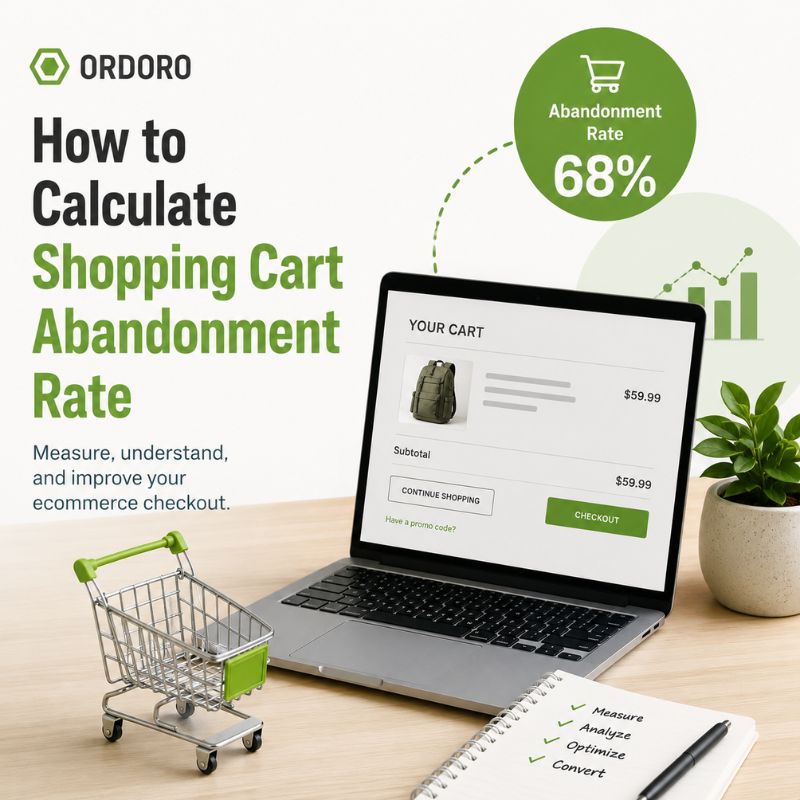
Shopping cart abandonment happens when a shopper adds an item to their cart but leaves without completing the purchase. Measuring your shopping cart abandonment rate can help you identify where shoppers are dropping out of the buying process. It can also reveal problems with shipping costs, checkout steps, payment options, page performance, or customer trust.
Shopping Cart Abandonment Rate Formula
Use this formula to calculate your shopping cart abandonment rate:
Cart abandonment rate = (1 minus completed purchases divided by carts created) multiplied by 100
For example, imagine that 500 shoppers added products to their carts and 150 completed a purchase:
(1 minus 150 divided by 500) multiplied by 100 = 70%
In this example, the shopping cart abandonment rate is 70%.
Cart Abandonment vs. Checkout Abandonment
Cart abandonment and checkout abandonment measure slightly different parts of the buying journey.
- Cart abandonment happens when someone adds a product to their cart but does not complete the purchase.
- Checkout abandonment happens when someone begins the checkout process but leaves before completing the purchase.
Tracking both can help you determine whether shoppers lose interest before checkout or encounter friction after checkout begins.
How to Measure Shopping Cart Abandonment in GA4
Google Analytics 4 can measure the eCommerce events that occur as shoppers move through your store. These events may include:
view_itemadd_to_cartbegin_checkoutadd_shipping_infoadd_payment_infopurchase
Google recommends using the begin_checkout event when a shopper starts the checkout process and the purchase event when the transaction is completed. These events must be implemented correctly on your eCommerce website before GA4 can report accurate results. Learn more about GA4 eCommerce measurement.
Use the Purchase Journey Report
In GA4, go to:
Reports → Monetization → Purchase journey
The Purchase journey report shows how many users move through stages such as viewing a product, adding it to a cart, beginning checkout, and completing a purchase.
It also shows where users leave the funnel, helping you identify stages that may need improvement.
Use the Checkout Journey Report
To examine the checkout process more closely, go to:
Reports → Monetization → Checkout journey
This report can show abandonment between checkout steps, such as:
- Beginning checkout
- Adding shipping information
- Adding payment information
- Completing the purchase
Google displays the abandonment rate below each stage that has a following step.
Create a Funnel Exploration
You can also build a custom funnel in GA4:
- Select Explore
- Choose Funnel exploration
- Add the eCommerce events you want to measure
- Review the number of users who continue or leave at each stage
A Funnel exploration lets you create a buying journey based on your store’s specific checkout process. Learn how to create a funnel exploration in GA4.
What Can Cause a High Cart Abandonment Rate?
A shopper may leave without purchasing for many reasons.
- Unexpected Shipping Costs – Customers may reconsider an order when shipping fees, taxes, or other charges appear late in checkout. Show estimated costs as early as possible and clearly explain available shipping options.
- A Complicated Checkout Process – Too many fields, forced account creation, confusing buttons, or unnecessary steps can make checkout feel like work. Review the process on both desktop and mobile, and remove steps that do not help complete the transaction.
- Limited Payment Options – A shopper may leave when their preferred payment method is unavailable. Review which payment methods your customers use and make sure the checkout clearly displays accepted options.
- Delivery Concerns – Customers may hesitate when they cannot find an estimated delivery date or understand which shipping services are available. Provide realistic delivery expectations before the final payment step.
- Technical Problems – Broken buttons, slow pages, error messages, or tracking problems can create apparent abandonment.
Google notes that a large drop at one checkout stage may signal a usability or technical problem.
How to Reduce Shopping Cart Abandonment
Once you identify where shoppers leave, focus on the step with the largest drop. Possible improvements include:
- Displaying shipping costs earlier
- Allowing guest checkout
- Reducing unnecessary checkout fields
- Improving mobile usability
- Offering clear delivery estimates
- Making return policies easy to find
- Providing several payment options
- Testing checkout buttons and forms regularly
- Keeping products and inventory availability accurate
Avoid changing everything at once. Make one meaningful improvement, monitor the results, and compare the abandonment rate before and after the change.
Look Beyond the Completed Purchase
Reducing abandonment helps more shoppers complete their orders, but the customer experience does not end at checkout.
After the purchase, merchants still need to process orders, maintain accurate inventory, create shipping labels, communicate tracking information, and manage activity across sales channels.
Ordoro’s shipping and order management tools help eCommerce businesses bring those workflows together in one place.
Frequently Asked Questions
What is shopping cart abandonment?
Shopping cart abandonment occurs when a shopper adds one or more products to an online cart but leaves the website without completing the purchase.
How do you calculate shopping cart abandonment rate?
Divide completed purchases by the number of carts created. Subtract that result from one, then multiply by 100.
What is the difference between cart abandonment and checkout abandonment?
Cart abandonment includes shoppers who leave at any point after adding an item to their cart. Checkout abandonment focuses on shoppers who started the checkout process but did not complete their purchase.
Can GA4 measure shopping cart abandonment?
Yes, provided the necessary eCommerce events are implemented correctly. GA4 can use events such as add_to_cart, begin_checkout, and purchase to show where shoppers leave the buying journey.
Why is my shopping cart abandonment rate high?
Possible causes include unexpected costs, a complicated checkout, limited payment options, delivery concerns, technical errors, or shoppers who are still comparing products.
How often should businesses review cart abandonment?
Review it regularly and after major changes to your checkout, shipping options, website design, payment methods, or promotions. Comparing trends over time is generally more useful than reacting to a single day or week.
Turn Completed Purchases Into Smoothly Fulfilled Orders
Ordoro helps eCommerce businesses centralize orders, shipping, tracking, and inventory across multiple sales channels. Explore Ordoro’s shipping and order management tools.
- Commerce Corner: Big Spending, Small Business Wins & Fresh Features
- Small Businesses Are Making a Very Big Economic Impact
- Shoppers Just Spent Nearly $10 Billion. And It’s Not Even Black Friday Yet.
- Etsy Wants Shipping to Feel Cheaper. What Does That Mean for Sellers?
- Your eBay Shipping Costs Might Look Different This Holiday Season