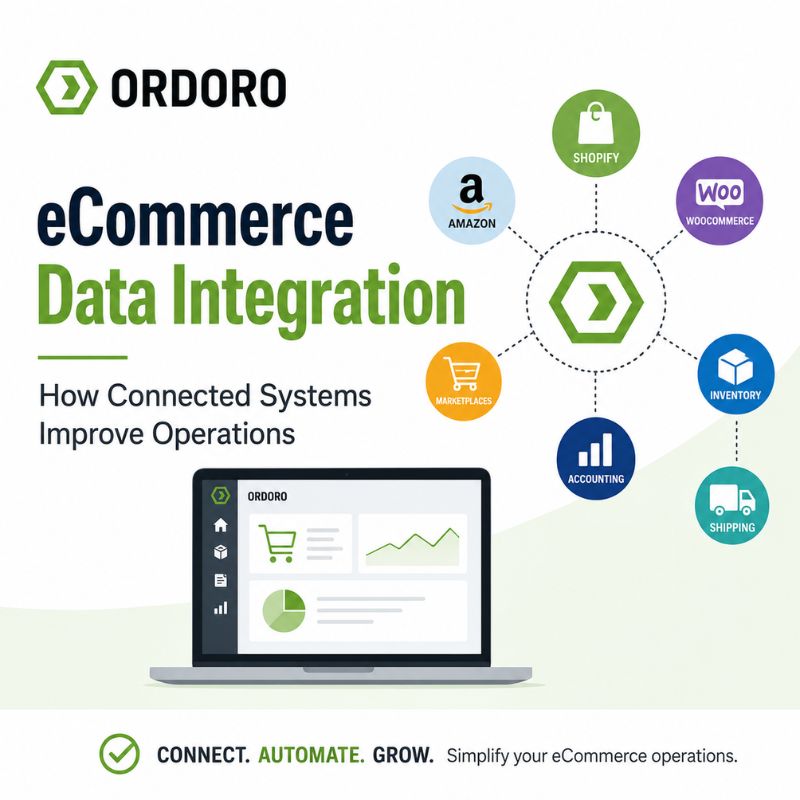
Update: We originally published this article in 2010 when data integration was becoming a major topic for software companies and online businesses. The technology has changed considerably since then, but the goal remains the same: help business systems share accurate information without relying on repetitive manual work.
An eCommerce business may use separate systems for its storefronts, marketplaces, inventory, accounting, shipping, suppliers, warehouses, and customer service. When those systems do not communicate, employees may need to copy information from one place to another. That creates more work and increases the chance of missing orders, selling unavailable inventory, entering incorrect data, or sending customers outdated information.
eCommerce data integration connects those systems so information can move between them automatically.
What Is eCommerce Data Integration?
eCommerce data integration is the process of connecting the applications that run an online business so they can exchange information. Depending on the systems involved, the shared data may include:
- Customer orders
- Product information
- SKUs
- Inventory quantities
- Purchase orders
- Supplier details
- Shipping status
- Tracking numbers
- Returns
- Fulfillment updates
- Inventory costs
- Financial data
The goal is to create a consistent flow of information instead of maintaining separate records in every application.
Which eCommerce Systems Commonly Connect?
An eCommerce integration may connect two systems or bring together several parts of the operation. Common connections include:
Storefronts and marketplaces
Orders from Shopify, BigCommerce, WooCommerce, Amazon, eBay, Walmart, and other channels can flow into a centralized order-management system.
Inventory and sales channels
Stock quantities can update across every channel when a merchant receives inventory, sells a product, completes a return, or adjusts an item. Ordoro’s inventory management tools help synchronize quantities across connected sales channels.
Shipping and storefronts
Once a merchant creates a shipping label, the carrier, tracking number, and order status can flow back to the original sales channel.
Accounting and inventory
Inventory cost information can connect with accounting and profitability tools to provide a more complete view of margins and business performance.
For an example, Ordoro’s ConnectBooks integration connects inventory cost data with financial reporting so merchants can better understand profitability. This is a useful internal link because it shows what eCommerce data integration looks like in a real workflow.
Suppliers, warehouses, and fulfillment partners
Businesses may exchange orders, inventory updates, shipment confirmations, and purchasing documents with suppliers, third-party logistics providers, dropshippers, or warehouses. Ordoro’s dropshipping management tools automate order routing and supplier workflows.
How Does eCommerce Data Move Between Systems?
Businesses can connect software in several ways:
Native Integrations
A native integration is a connection already built between two platforms.
These integrations are often easier to set up because the software providers have already defined how the systems exchange data. Merchants may only need to authorize the connection and configure a few settings.
Native integrations can work well for common workflows, but businesses should confirm exactly which information moves between the systems and how frequently it updates.
APIs
An application programming interface, or API, defines how one software system can communicate with another. APIs can support the exchange of orders, inventory, products, tracking information, and other data. APIs are useful when a business needs:
- A custom integration
- More control over how data moves
- A connection not available through a native integration
- Specialized rules or workflows
- Two-way communication between systems
Custom API integrations may require technical expertise to build, test, monitor, and maintain.
Webhooks
A webhook sends information when a specific event occurs. For example, a storefront may send a webhook when someone places an order or updates a product. The receiving system can then take an action without repeatedly checking whether anything has changed.
Shopify describes webhooks as a way to keep an application synchronized with Shopify data or trigger another action after an event occurs.
Electronic Data Interchange
Electronic data interchange, or EDI, uses standardized formats to exchange business documents between organizations.
Retailers, suppliers, warehouses, and trading partners may use EDI for documents such as:
- Purchase orders
- Invoices
- Shipping notices
- Inventory reports
- Order acknowledgments
EDI remains common in business-to-business relationships, particularly when companies need to exchange large volumes of standardized transactions. IBM notes that EDI and APIs can work together as part of a broader business-integration approach.
Middleware and Integration Platforms
Middleware sits between applications and helps translate, route, or transform data. An integration platform may help a business connect systems that use different data formats or do not have a direct native connection. It can also manage rules such as which system owns a particular data field and what should happen when information conflicts.
Why Does eCommerce Data Integration Matter?
Connected systems can reduce the amount of work required to keep an operation accurate:
Less Manual Data Entry
Without an integration, employees may need to download orders, upload spreadsheets, reenter customer information, copy tracking numbers, or adjust inventory in several places. Automation reduces that repetitive work and gives the team more time to focus on exceptions that require human attention.
More Accurate Inventory
Inventory integration helps sales channels reflect what the business can actually fulfill. When an order arrives, the central system can reduce available inventory and send the updated quantity to other channels. This helps reduce overselling and canceled orders. Merchants interested in building a broader view across suppliers, warehouses, and channels can also read Ordoro’s guide to eCommerce supply chain visibility.
More Organized Order Management
An integrated order-management system can collect orders from several storefronts and marketplaces in one place.
Employees can then apply consistent workflows for:
- Reviewing orders
- Routing fulfillment
- Creating shipping labels
- Handling split shipments
- Updating order status
- Sending tracking information
- Managing exceptions
Faster Customer Updates
Once a package ships, an integration can return the tracking number and shipment status to the sales channel. That reduces manual copying and helps customers receive accurate information about their orders.
Better Visibility Across the Business
When systems share data, merchants can get a clearer view of inventory, sales, purchasing, shipping, and profitability. The business still needs to define which system serves as the source of truth. However, integration reduces the number of disconnected records employees must compare.
Common Problems Caused by Disconnected Systems
Disconnected systems can create problems that become harder to manage as order volume grows. Examples include:
- Inventory quantities that differ by channel
- Duplicate data entry
- Orders missed during manual exports
- Delayed tracking updates
- Products with inconsistent SKUs
- Purchase orders separated from inventory records
- Returns that do not update available stock correctly
- Financial reports based on incomplete inventory costs
- Teams relying on different versions of the same spreadsheet
These problems may begin as minor inconveniences. Over time, they can affect customer service, fulfillment accuracy, purchasing, and cash flow.
What Should Merchants Evaluate Before Choosing an Integration?
An integration should solve a defined operational problem rather than connect systems simply because a connection is available. Before choosing one, ask:
- Which systems need to exchange information?
- What specific data needs to move?
- Which system should serve as the source of truth?
- Does the data move in one direction or both directions?
- How quickly do updates occur?
- What happens when an update fails?
- Can the integration handle product variations and kits?
- Does it support multiple warehouses?
- How are duplicate records prevented?
- Who monitors and maintains the connection?
- What support is available when something stops working?
- Can the integration grow with the business?
Merchants should also test the complete workflow before relying on the integration during a busy sales period.
eCommerce Data Integration FAQs
What is eCommerce data integration?
eCommerce data integration connects the systems used to manage an online business so they can automatically exchange orders, inventory, products, tracking details, financial information, and other operational data.
What is an example of eCommerce integration?
One example is connecting an online storefront with an inventory and order-management platform. New orders import automatically, stock quantities update across channels, and shipping information returns to the original store.
What is the difference between an API and EDI?
APIs allow software systems to communicate and can provide near-real-time access to information. EDI uses standardized business documents and remains common for transactions between retailers, suppliers, and other trading partners. Some businesses use both.
How does integration help prevent overselling?
When an integrated system receives an order, it can update the available quantity and send the new stock level to connected sales channels. This reduces the risk of several channels selling the same final unit.
Do small eCommerce businesses need data integration?
Not every small business needs a complex custom integration. However, integration becomes more valuable when a merchant sells through multiple channels, processes more orders, manages several warehouses, or spends significant time transferring data manually.
What is the difference between integration and automation?
Integration connects systems and allows them to exchange data. Automation uses that information to complete actions based on rules or events. An eCommerce workflow often uses both.
Connect Your eCommerce Operations
As an eCommerce business grows, manually moving information between storefronts, marketplaces, inventory tools, suppliers, and shipping systems becomes harder to sustain.
Ordoro connects sales channels, inventory, orders, shipping, suppliers, warehouses, and other business systems in one operational platform. Merchants can use built-in integrations or an open API to support workflows that fit their business. See Ordoro’s Integrations
For merchants already evaluating a connected inventory, shipping, and order-management platform: Start Your Free Trial
- Features and Updates
- How eCommerce Picking and Packing Works
- 2026 Holiday Shipping Surcharges: UPS, FedEx, USPS & DHL
- Kitting in eCommerce: How Kits and Bundles Affect Inventory
- Commerce Corner: Big News, Fresh Features & Free Swag