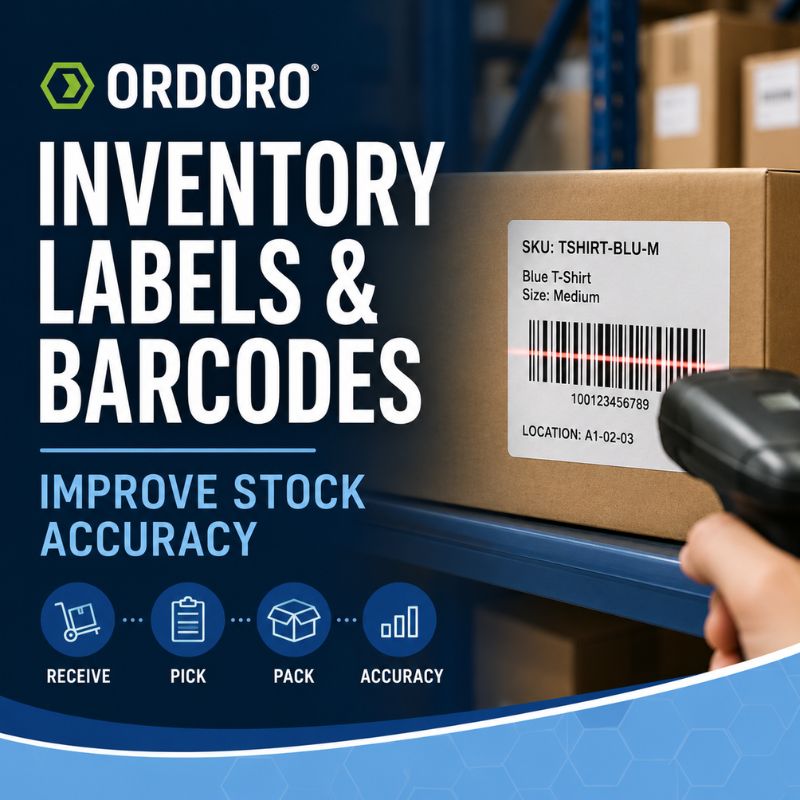
Inventory labels and barcodes connect physical products with the records stored in an inventory management system. When that connection is consistent, employees can receive, locate, pick, pack, and count products with fewer manual steps and fewer opportunities for error.
A barcode does not contain a product’s current inventory quantity. It identifies the product or record the system should retrieve. The inventory software stores the related SKU, description, location, quantity, and transaction history.
That distinction matters. Printing labels alone will not improve inventory accuracy unless the product data and warehouse processes behind them are dependable.
Why Inventory Labels Matter
Employees need a reliable way to identify a product and determine where it belongs. This can become difficult when several items use similar packaging or differ only by size, color, material, or pack quantity.
An inventory label may include:
- Product name and variation
- SKU or UPC
- Scannable barcode
- Warehouse or bin location
- Other useful internal information
The printed information gives employees a visual reference, while the barcode allows the product record to be retrieved without manually typing an identifier.
Ordoro allows merchants to create product barcode labels using a SKU or UPC as the barcode value. Depending on the workflow, labels can also include information such as the product name, price, or warehouse location.
SKU, UPC, GTIN, and Barcode: What Is the Difference?
These terms are related, but they do not mean the same thing.
A SKU is an internal identifier created by a business to organize its products. For example, a merchant might use TSHIRT-BLU-M for a medium blue shirt.
A GTIN is a standardized global product identifier. A UPC is one type of GTIN commonly used for products sold in the United States and Canada.
A barcode is the machine-readable representation of an identifier. GS1 explains that the familiar lines and spaces are a scannable representation of the GTIN printed beneath them.
A business may use an existing manufacturer UPC, an internal SKU barcode, or both. The right choice depends on whether the identifier is only being used inside the warehouse or must also meet marketplace, retailer, or supply-chain requirements.
When Should You Create an Internal Barcode?
Products purchased from established manufacturers often arrive with UPCs already printed on the packaging. A merchant may be able to use those barcodes when each code uniquely identifies the exact product variation stored in the inventory system.
An internal label may be necessary when products arrive without usable barcodes, several variations have confusing packaging, or the business manufactures, bundles, or repackages its own products.
Internal labels can also create consistency when different suppliers use different identifiers for products that the merchant manages under one inventory record.
Before putting a barcode workflow into use, confirm that:
- Every barcode points to the correct product and variation
- Duplicate identifiers have been corrected
- Product and supplier SKUs are properly connected
- Labels are readable and placed where scanners can reach them
- Employees understand when to scan and what to do after an error
Ordoro lets merchants save UPCs individually or import them in bulk. Once the identifier is connected to a product, employees can scan it to locate the correct record.
Use Barcodes Across the Inventory Workflow
Barcode scanning can support several stages of the inventory process. The value comes from using the same dependable identifiers as products move from receiving through fulfillment.
Receiving inventory
Inventory accuracy begins when products enter the business. Employees should compare the physical shipment with the purchase order and confirm what actually arrived before making those quantities available for sale.
Ordoro supports barcode scanning when employees create goods receipts for purchase orders. Each successful scan can increase the received quantity, and teams can adjust the quantity per scan when products arrive in cases or larger packs. The completed goods receipt records what was received and updates physical on-hand inventory.
Scanning makes product entry faster, but it does not replace physical verification. Employees still need to identify shortages, damage, substitutions, and unexpected products before saving the receipt.
Picking orders
During picking, a barcode scan can confirm that the item taken from the shelf matches the product on the order.
This is especially useful when products look similar, orders contain several units of the same SKU, or employees are picking batches of orders at once. Ordoro’s barcode-picking workflow supports individual and batch picking using UPC or SKU barcodes.
Accurate scanning works best alongside clear storage locations. Our guide to preventing misplaced inventory explains how SKUs, warehouse locations, and cycle counts make products easier to find.
Verifying orders during packing
Packing verification creates another checkpoint before the package leaves the warehouse.
With Ordoro, employees can scan a packing list to retrieve the order and then scan each item as it goes into the box. The workflow can identify an incorrect scan, display available product images, record which user verified the package, and tag the order as verified.
This is particularly helpful when one employee picks several orders and another packs them. The second scan provides an independent confirmation that the customer is receiving the correct products.
Label Warehouse Locations Too
Product labels identify what an item is. Warehouse labels identify where it belongs.
Shelves, bins, racks, and temporary storage areas should follow a consistent location system. A small stockroom may only need labels such as A1 or B2, while a larger warehouse may use aisle, rack, shelf, and bin identifiers.
Location labels help employees put products away consistently and find them again during picking and counting. They also make warehouse changes easier to document when the business reorganizes a room or adds another location.
The physical location and the inventory record must remain aligned. Moving a product without updating its recorded location can make available inventory appear missing even when it is still inside the warehouse.
Avoid Common Barcode and Labeling Mistakes
A labeling system should make inventory work easier, not create another source of confusion.
Common problems include assigning one barcode to several variations, printing labels that are too small or damaged to scan, and failing to update product records when a supplier changes an identifier.
Businesses should also avoid relying on product names alone. Descriptions can vary across sales channels, while a dependable SKU or UPC provides a more consistent connection to the physical item.
Employee training matters too. A scanner may confirm that the wrong product was selected, but employees still need to know how to correct the mistake instead of bypassing the verification step.
Our guide to inventory management training for eCommerce teams explains how to align system access and procedures with each employee’s responsibilities.
When Has a Business Outgrown Manual Labels?
Handwritten labels may be enough for a very small catalog stored in one room. They become harder to manage as products, variations, employees, and warehouse locations increase.
A more structured barcode system may be useful when employees frequently pick the wrong variation, products are difficult to locate, receiving requires repeated manual entry, or packing errors are affecting customers.
The goal is not to introduce technology for its own sake. It is to create a faster and more dependable connection between the product on the shelf and the information used to manage it.
For broader guidance on evaluating systems, read our article on choosing inventory management software for eCommerce.
Inventory Barcode FAQs
Can a business create its own barcodes?
Yes. A business can create internal barcodes based on its SKUs for warehouse use. Products sold through retailers or marketplaces may require standardized identifiers that follow the platform’s rules.
Does a barcode show how many products are in stock?
No. The barcode identifies the product. The inventory system stores and updates the quantity based on receipts, orders, returns, and adjustments.
Can barcode scanning reduce shipping errors?
Yes. Scanning during picking and packing can confirm that the physical item matches the order before shipment. Ordoro supports barcode workflows for picking, packing verification, and purchase-order receiving.
Connect Every Product With a Dependable Inventory Record
Clear labels and consistent barcodes make it easier to receive, locate, pick, pack, count, and fulfill products accurately.
Ordoro’s barcode-scanning tools help eCommerce teams verify products during fulfillment, receive inventory against purchase orders, and reduce manual errors throughout the workflow. Explore Ordoro’s Barcode Scanning Tools