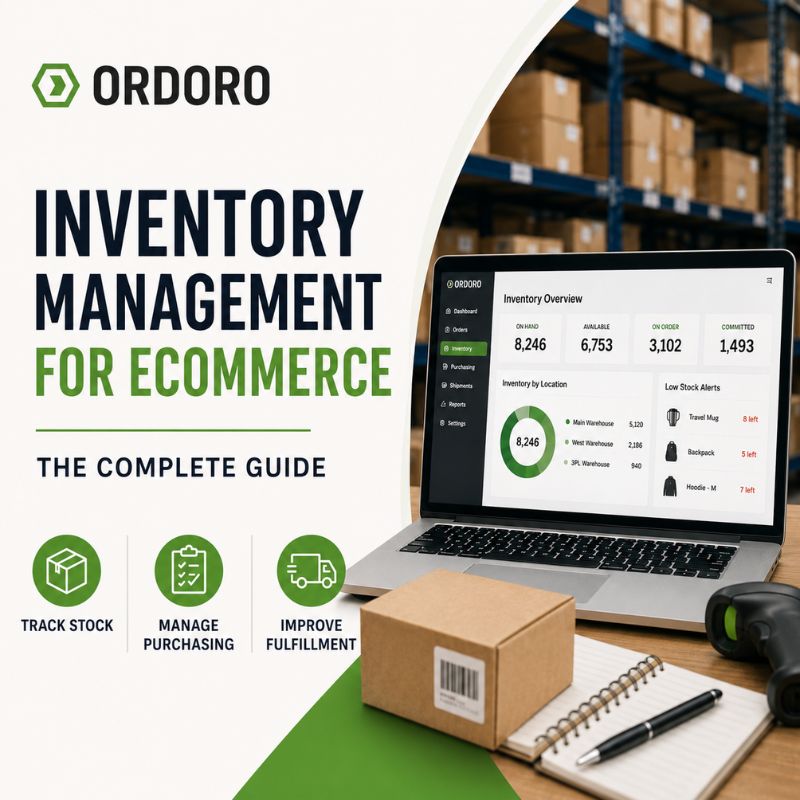
Your inventory numbers should help your team make decisions, not create more questions. When inventory feels simple, your team can usually manage it without much friction. You know what is in stock, what needs to be reordered, and which products move quickly. A spreadsheet, a few manual updates, and regular team check-ins may be enough. That can work for a while.
Then the business grows. Products start selling across more channels. Suppliers follow different timelines. Orders move faster. Your team receives, returns, adjusts, bundles, transfers, and ships stock throughout the day. At that point, inventory management becomes more than counting products. It connects purchasing, receiving, stock visibility, fulfillment, and customer expectations.
A strong inventory process helps your team answer the questions that matter most: What do we have? What can we sell? Are items already on the way? What needs to be reordered? And what can we confidently promise customers?
What Is eCommerce Inventory Management?
eCommerce inventory management tracks and controls the products your business buys, stores, sells, and ships. For an eCommerce business, that means knowing what is in stock, what customers can buy, what your team has already committed to orders, what suppliers are sending, and what needs to be reordered.
The goal goes beyond counting products. Your team needs a reliable view of inventory so it can make better decisions across purchasing, receiving, fulfillment, and customer service.
For growing businesses that need a more connected way to manage stock, Ordoro’s inventory management software helps bring inventory, purchasing, fulfillment, and multichannel workflows together.
Why Inventory Management Matters for eCommerce Businesses
Inventory sits at the center of eCommerce operations. Accurate inventory helps the business run smoothly. Inaccurate inventory creates problems quickly.
A customer may buy a product that is no longer available. Your team may reorder too late, buy too much, or assume a supplier order is already on the way. A warehouse team may receive products without updating available stock. A sales channel may keep showing inventory that already sold somewhere else.
Good inventory management gives everyone a more reliable view of stock. It can help reduce stockouts, avoid overstocking, improve fulfillment accuracy, keep sales channels aligned, track inbound inventory, support customers with better information, and protect cash flow.
For growing eCommerce businesses, small inventory errors can create bigger problems. When products move quickly across multiple channels, one inaccurate count can affect customers, fulfillment, purchasing, and revenue.
Common eCommerce Inventory Management Challenges
Inventory problems usually build as a business adds more products, suppliers, sales channels, and people. Here are some of the most common signs that inventory has become harder to manage.
Inaccurate Inventory Counts
Inventory counts can drift when your team sells, receives, returns, adjusts, or transfers products without a clear update process. Once the numbers are off, every decision based on those numbers becomes less reliable. Your team may think a product is available when it has already sold. Or they may think something is out of stock when new inventory has arrived but no one updated the count.
Stockouts
Stockouts happen when products sell out before new inventory arrives. They can lead to lost sales, frustrated customers, rushed supplier orders, and extra work for your team.
Overstocking
Overstocking happens when a business buys more inventory than it can sell in a reasonable amount of time. Too much inventory ties up cash, takes up storage space, and makes it harder to invest in products that are actually moving.
Spreadsheet Issues
Spreadsheets can work well in the beginning. They become harder to trust as more people, products, suppliers, and sales channels get involved. If your team works from different versions of the same file or constantly double-checks the numbers, your process may have outgrown manual tracking. We covered this in more detail in our guide to 7 signs you’ve outgrown spreadsheet inventory management.
Poor Inbound Inventory Visibility
On-hand inventory only tells part of the story. Your team also needs to know what suppliers have already shipped, what still needs to arrive, and what remains outstanding. Without that visibility, purchasing decisions get harder. Your team may reorder products that are already on the way or assume a supplier order exists when no one actually placed it.
Supplier Delays
Supplier lead times, partial shipments, and changing delivery dates can affect what you have available to sell. A clear purchasing process helps your team plan ahead instead of reacting at the last minute.
Multichannel Inventory Problems
Selling through multiple channels adds another layer of complexity. If your store, marketplaces, warehouse, and internal records do not match, your team may not know what is actually available.
Core Parts of an eCommerce Inventory Management Process
A strong inventory process connects the different parts of eCommerce operations. It gives your team a clearer way to manage how products move through the business.
1. Stock Visibility
Stock visibility means knowing what you have, where it is, and what customers can actually buy. That includes on-hand inventory, committed inventory, reserved inventory, unavailable inventory, and inventory already on the way. Better stock visibility helps your team answer basic questions faster: Is this product in stock? How many units can we sell? Where is the inventory located? Is more inventory already on the way? Do we need to reorder?
For teams using Ordoro, terms like on hand, available on hand, committed, and on purchase order matter. Ordoro’s support guide explains how inventory tracking works in Ordoro.
2. Purchasing
Purchasing helps your team decide what to buy, when to buy it, and how much to order. Strong purchasing decisions depend on current inventory, sales trends, supplier lead times, and expected demand. When those pieces live in different places, your team can easily order too much, order too late, or reorder products that are already on the way.
Purchase orders bring more structure to that process. They document the products, quantities, costs, supplier details, and expected delivery information tied to each order. For a deeper look at how this works, read our guide to purchase orders for eCommerce.
3. Receiving
Receiving confirms what arrived and updates your inventory records. This step sounds simple, but order volume can make it messy. A supplier may send a partial shipment. Products may arrive damaged. Quantities may not match the purchase order. Items may arrive earlier or later than expected.
A good receiving process helps your team compare what you ordered with what arrived. It also creates a clearer record of missing, damaged, or incomplete shipments. For Ordoro users, this support article explains how to receive items from a purchase order and increase inventory quantities.
4. Inventory Tracking
Inventory tracking keeps quantities accurate as products move through the business. Your team needs to update inventory when products sell, orders get canceled, returns arrive, items get damaged, stock gets adjusted, products are bundled or kitted, inventory moves between locations, or new inventory comes in. The more ways inventory can change, the more your team needs a reliable tracking process. When updates depend on memory or manual entry, mistakes become more likely.
5. Fulfillment Connection
Inventory and fulfillment need to work together. Your team needs accurate inventory before it can pick, pack, and ship orders correctly. When inventory data does not connect to fulfillment, problems can show up quickly. Customers may order products that are not actually available. Warehouse teams may pick from incorrect quantities. Customer service may not know whether an item can ship on time. Your team may need to delay, split, or cancel orders.
A stronger inventory workflow helps make sure the products customers buy are the products your team can actually fulfill. Ordoro’s shipping and order management tools help eCommerce teams manage shipping, order workflows, and fulfillment more efficiently.
6. Reporting and Forecasting
Inventory reports help your team understand what happens over time. They can show which products sell quickly, which products move slowly, how often products stock out, where purchasing decisions need attention, and which items may need to be reordered soon.
Forecasting builds on that information. It helps your team estimate what to buy next based on sales trends, seasonality, supplier lead times, and expected demand. You do not need a perfect forecast to improve inventory management. Even simple visibility into what sells, what sits, and what needs to be reordered can help your team make better decisions.
Manual vs. Connected Inventory Management
Many eCommerce businesses start with manual inventory management. That might mean spreadsheets, shared files, email threads, warehouse notes, and regular check-ins.
Manual tools can work well when the business is small. They are flexible, inexpensive, and easy to customize. Growth makes them harder to manage. More orders, products, suppliers, and team members create more chances for someone to miss an update or use the wrong number.
Connected inventory management gives your team one place to manage inventory across the business. Instead of updating separate files or checking multiple places, teams can work from one source of truth. This is important when your business needs to track on-hand inventory, inbound inventory, purchasing, receiving, sales channels, and fulfillment together.
eCommerce Inventory Management Best Practices
Inventory management does not need to be complicated. It does need to be consistent. Here are a few best practices that can help growing eCommerce businesses build a stronger inventory workflow.
Keep One Source of Truth
Give your team one reliable place to check inventory information. When inventory data lives in multiple files, systems, or email threads, no one knows which number to trust. A single source of truth helps purchasing, warehouse operations, fulfillment, and customer service work from the same information.
Track Inbound Inventory, Not Just On-Hand Stock
On-hand inventory only tells you what is currently available. Inbound inventory tells you what is already on the way. Tracking inbound inventory helps your team avoid duplicate purchasing, plan for restocks, and understand whether a low-stock product is already being handled.
Use Purchase Orders Consistently
Purchase orders help create structure around supplier orders. They show what was ordered, who it was ordered from, when it was ordered, and what still needs to be received. Using purchase orders consistently can make purchasing, receiving, and supplier communication much easier to manage. Ordoro’s support guide walks through how to create and manage purchase orders in Ordoro.
Set Reorder Points for Key Products
A reorder point helps your team know when it is time to buy more inventory. Instead of waiting until a product is almost gone, reorder points give you a clearer signal based on how quickly a product sells, how long suppliers take to deliver, and how much extra stock you want to keep available. This helps reduce last-minute purchasing and makes stockouts easier to prevent.
Review Slow-Moving Inventory
Not every inventory problem comes from running out of stock. Slow-moving products can also create issues by tying up cash and taking up storage space. Reviewing slow-moving inventory helps your team understand which products may need pricing changes, promotions, bundling, or purchasing adjustments.
Keep Sales Channels Synced
If you sell across multiple channels, inventory needs to stay aligned everywhere products are listed. When inventory is not synced, one channel may continue selling a product after it has already sold out elsewhere. Keeping channels aligned helps reduce overselling and customer frustration.
Make Receiving Part of the Process
Receiving should not be an afterthought. It is one of the most important steps in keeping inventory accurate. Your team should have a clear way to confirm what arrived, compare it with what was ordered, document damaged or missing items, and update inventory once products are received.
Review Inventory Reports Regularly
Inventory reports can help your team spot patterns before they become bigger problems. Regular reporting can show where stockouts are happening, which products are moving slowly, which items need to be reordered, and how inventory decisions affect the business.
When to Use Inventory Management Software
Inventory management software becomes more useful when manual processes start creating friction. That might happen when your business adds more sales channels, more suppliers, more SKUs, more warehouse activity, or more people involved in daily operations. It may also happen when your team spends too much time checking spreadsheets, correcting inventory counts, or trying to figure out what has already been ordered.
Inventory management software can help connect the parts of inventory that are difficult to manage manually, including stock visibility, purchasing, receiving, order fulfillment, and multichannel inventory sync. For growing eCommerce businesses, the value is not just automation. It is clarity. A connected system helps your team understand what is in stock, what is committed to orders, what is on the way, what needs to be reordered, and what customers can actually buy.
To see how this looks inside Ordoro, explore our inventory management features.
Frequently Asked Questions About eCommerce Inventory Management
What is eCommerce inventory management?
eCommerce inventory management tracks and controls the products an online business buys, stores, sells, and ships. It includes knowing what is in stock, what customers can buy, what is on order, what needs to be reordered, and where products are located.
Why is inventory management important for eCommerce?
Inventory management affects sales, fulfillment, customer experience, cash flow, and purchasing decisions. Accurate inventory helps businesses avoid stockouts, reduce overstocking, fulfill orders correctly, and make better decisions about what to buy next.
What are the main types of inventory in eCommerce?
Common types of eCommerce inventory include finished goods, raw materials or components, packaging supplies, returned products, damaged inventory, reserved inventory, and inbound inventory. The exact types depend on how the business buys, stores, assembles, and sells products.
How do eCommerce businesses track inventory?
eCommerce businesses may track inventory with spreadsheets, eCommerce platforms, warehouse tools, inventory management software, or a combination of systems. As the business grows, many teams move toward connected inventory management software to reduce manual updates and keep inventory more accurate across channels.
Can spreadsheets be used for eCommerce inventory management?
Yes. Spreadsheets can work well for small eCommerce businesses with simple catalogs and lower order volume. They are flexible and inexpensive, but they become harder to manage as products, suppliers, sales channels, and team members increase.
When should a business move from spreadsheets to inventory management software?
A business may be ready to move from spreadsheets to inventory management software when inventory counts are difficult to trust, multiple people update the same file, stockouts become more common, purchasing decisions feel reactive, or the team cannot easily see what is in stock, inbound, or already committed to orders.
How do purchase orders help with inventory management?
Purchase orders help businesses track what they ordered from suppliers, what should arrive, what has already been received, and what is still outstanding. They create a clearer connection between purchasing, receiving, and inventory availability.
What is the difference between inventory management and warehouse management?
Inventory management focuses on tracking products, quantities, purchasing, availability, and stock movement. Warehouse management focuses more on how products are stored, picked, packed, moved, and fulfilled inside a warehouse or storage location. The two are closely connected because accurate inventory supports better warehouse operations.
Build an Inventory Process That Supports Growth
Inventory management gets more complex as an eCommerce business grows. More products, suppliers, sales channels, orders, and team members all create more moving parts. The goal is not just to keep better counts. The goal is to build a process that helps your team understand what is happening with inventory at every stage, from purchasing and receiving to fulfillment and customer support.
A stronger inventory workflow gives your team visibility into what is in stock, what is on the way, what needs to be reordered, and what customers can actually buy. That clarity helps reduce preventable mistakes, support better purchasing decisions, and give your team more confidence as the business grows. Spreadsheets and manual processes can help you get started. A connected inventory management process helps you keep growing.
Ready to manage inventory with more clarity? Start a free trial of Ordoro and see how connected inventory, purchasing, and fulfillment workflows can support your next stage of growth.