An efficient order management workflow is essential for running a successful eCommerce business. Whether you’re fulfilling orders, managing dropshipments, reviewing tagged orders, or keeping an eye on backorders, there’s always something that needs your attention.
The challenge isn’t finding the information you need. Most merchants already know exactly which orders they’re looking for. The challenge is getting there quickly and consistently. If you’ve ever found yourself applying the same filters every morning, recreating the same order views throughout the day, or relying on browser bookmarks to save your workflow, you know how repetitive that process can become.
Those extra clicks might not seem like much on their own, but they add up. When you’re moving through dozens or hundreds of orders every day, even small inefficiencies can slow things down.
That’s why we created Saved Filters, a simple new enhancement in Ordoro that helps you save your most-used order views and access them whenever you need them. Instead of rebuilding the same filter combinations over and over again, you can save them once and return to them with a single click.
Let’s Break Down Saved Filters
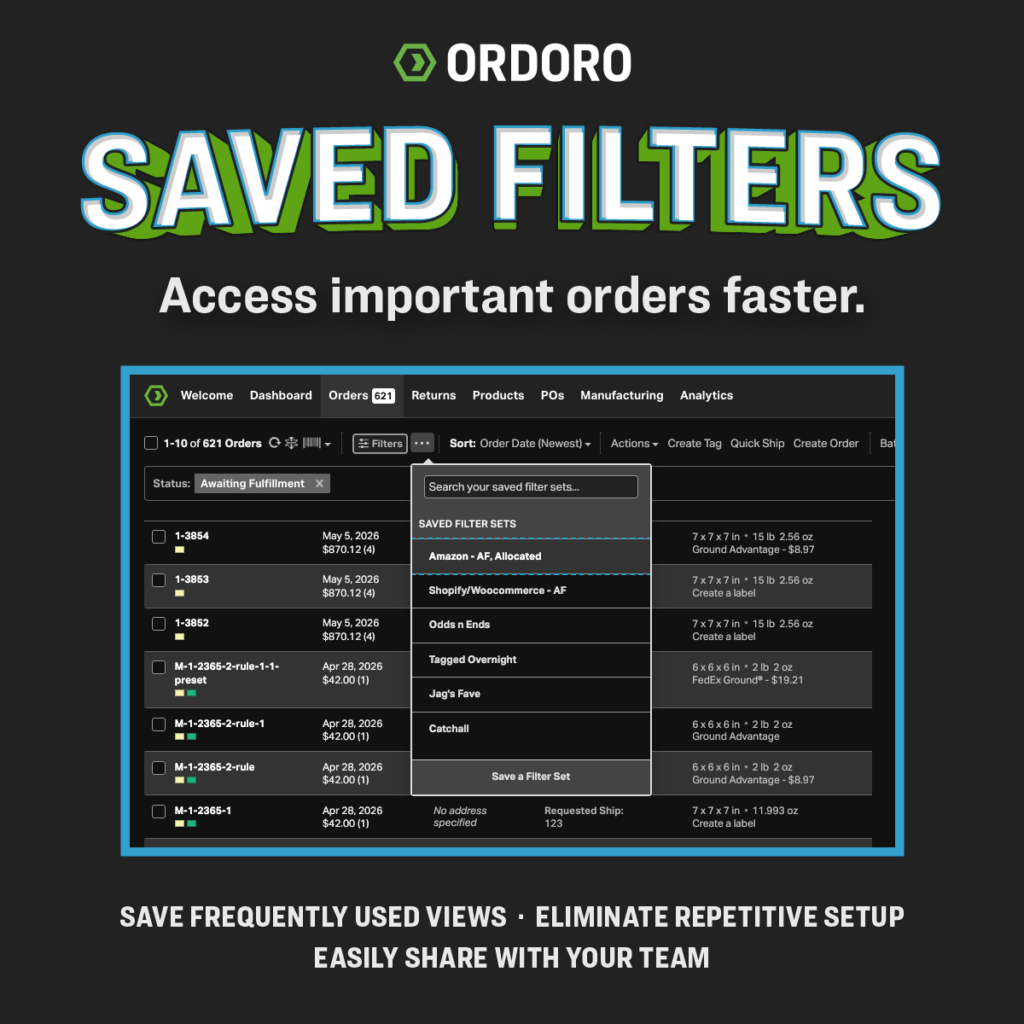
Saved Filters allows you to create and save custom order views directly inside Ordoro. Once you’ve built a filter combination that works for your workflow, you can save it, give it a name, and access it anytime from the Saved Filters menu.
Maybe your fulfillment team needs a quick way to see orders awaiting shipment. Your dropshipping team regularly reviews a specific order queue. Maybe customer service needs easy access to orders with certain tags or statuses. Whatever your workflow looks like, Saved Filters helps you get back to the information you need without rebuilding the same view every time.
Instead of relying on browser bookmarks or trying to remember which filters you applied last week, your saved views live directly inside Ordoro where they belong.
Here’s What You Can Do with Saved Filters
Save Your Favorite Order Views
Build a custom order view once and save it for future use. Whether you’re filtering by status, tags, fulfillment workflows, or other order criteria, your preferred setup is always available when you need it.
Share Workflows Across Your Team
Saved Filters can be used across your company, helping teams stay aligned and work from the same order views. Everyone can access the same queues and workflows without recreating filter combinations on their own.
Replace Browser Bookmark Workarounds
Many merchants have relied on browser bookmarks to save frequently used order views. Saved Filters brings that workflow directly into Ordoro, making it easier to organize and manage your most important views.
Spend Less Time Clicking Around
The fewer repetitive tasks in your day, the better. Saved Filters removes a common frustration so you can spend more time managing orders and less time setting up your workspace.
Manage Filters with Permissions
Administrators can control who has access to create, edit, and manage Saved Filters while allowing team members to use approved views throughout their daily workflows.
Built to Fit Right Into Your Workflow
The best workflow improvements aren’t always the biggest. Sometimes they’re the ones that quietly save time every single day.
Saved Filters is designed to fit naturally into the way your team already works. There’s no new process to learn and no major workflow changes to make. You’re already creating filters to find the orders you need as part of your order management workflow. Now you can save those views and reuse them whenever you want.
Saved Filters helps you:
- Access frequently used order views instantly
- Keep teams aligned on shared workflows
- Eliminate repetitive filter setup
- Organize order management processes more efficiently
- Spend less time searching and more time taking action
It’s a small enhancement, but one that can make your day-to-day order management noticeably smoother.
How to Use Saved Filters in Ordoro
Getting started only takes a few steps:
- Navigate to your Orders page
- Apply the filters you want to use
- Save the filter combination
- Give your view a name
- Access it anytime from the Saved Filters menu
Once it’s saved, your custom view is always ready when you need it, helping you move through your order management workflow more efficiently.
Frequently Asked Questions
What are Saved Filters?
Saved Filters allow you to save custom order filter combinations inside Ordoro so you can quickly access commonly used order views without rebuilding them every time.
Why use Saved Filters instead of browser bookmarks?
Saved Filters are built directly into Ordoro, making them easier to access, manage, and share as part of your daily workflow.
Can my team use the same Saved Filters?
Yes. Saved Filters can be shared across your company, helping teams stay consistent and work from the same order views.
Can I edit or remove a Saved Filter?
Absolutely. Saved Filters can be updated, renamed, or removed as your workflows evolve.
Who can manage Saved Filters?
Administrators can control permissions for creating, editing, and managing Saved Filters while allowing team members to use approved views.
The Bottom Line on Smarter Order Management
Order management is full of small tasks that compete for your attention throughout the day. While each task may only take a few seconds, they add up over time and can create unnecessary friction in your workflow.
Saved Filters helps eliminate one of those repetitive tasks. Instead of rebuilding the same order views again and again, you can save them once and get straight to work. Whether you’re managing fulfillment, monitoring dropshipments, supporting customers, or organizing workflows across your team, Saved Filters helps streamline your order management workflow and gives you faster access to the information you need.
As Jagath Narayan, CEO and Co-founder of Ordoro, puts it, “Saved Filters is one of those simple improvements that make everyday work easier. It helps merchants reduce repetitive tasks, stay organized, and get to the information they need faster.”
Ready to simplify your workflow?
Start using Saved Filters in Ordoro and see how much easier order management can be when your favorite views are always just a click away. Already an Ordoro customer? Log in and give Saved Filters a try. New to Ordoro? Start a free trial and discover how Ordoro helps merchants streamline shipping, inventory, and order management from one central platform.
- Purchase Orders for eCommerce: The Complete Guide for Growing Businesses
- What Happens When AI Starts Making Marketing Decisions?
- Who Controls Checkout? Shopify’s BNPL Lawsuit Raises a Bigger Question
- What FedEx’s Latest Move Says About the Future of Supply Chains
- 70% of Shoppers Choose Retailers Based on Payment Options. Are You Giving Them a Choice?