Update: We originally published this article in 2010 after reviewing research about multichannel retailing. The technology and shopping landscape have changed considerably since then, so we updated it to focus on multichannel order management and the operational challenges merchants face when selling through multiple channels.
Multichannel retailing allows a business to sell through more than one storefront, marketplace, wholesale channel, or physical location. Those additional channels can help merchants reach more customers, but they also create more places to manage orders, inventory, shipping, tracking, and returns.
Multichannel order management brings those workflows together so the business does not have to operate each channel separately.
What Is Multichannel Order Management?
Multichannel order management is the process of receiving, organizing, fulfilling, shipping, and tracking orders from multiple sales channels in one system.
A merchant might sell through a combination of:
- Its own online store
- Amazon
- eBay
- Walmart Marketplace
- Etsy
- Wholesale platforms
- Retail locations
- Additional branded storefronts
Without a centralized process, employees may need to sign in to each channel, review orders separately, update inventory manually, and return tracking information one order at a time.
A multichannel order management system creates one workflow for managing those orders from purchase through delivery.
Why Does Multichannel Selling Become Complicated?
Each sales channel may have its own order statuses, product listings, SKUs, shipping requirements, return rules, and customer expectations.
An order placed through a branded storefront may follow a different process from an Amazon order or a wholesale order. At the same time, all three orders may draw from the same inventory and ship from the same warehouse.
The complexity increases further when the business adds multiple warehouses, dropshipping suppliers, third-party logistics providers, kits, bundles, or international orders.
Centralize Orders From Every Channel
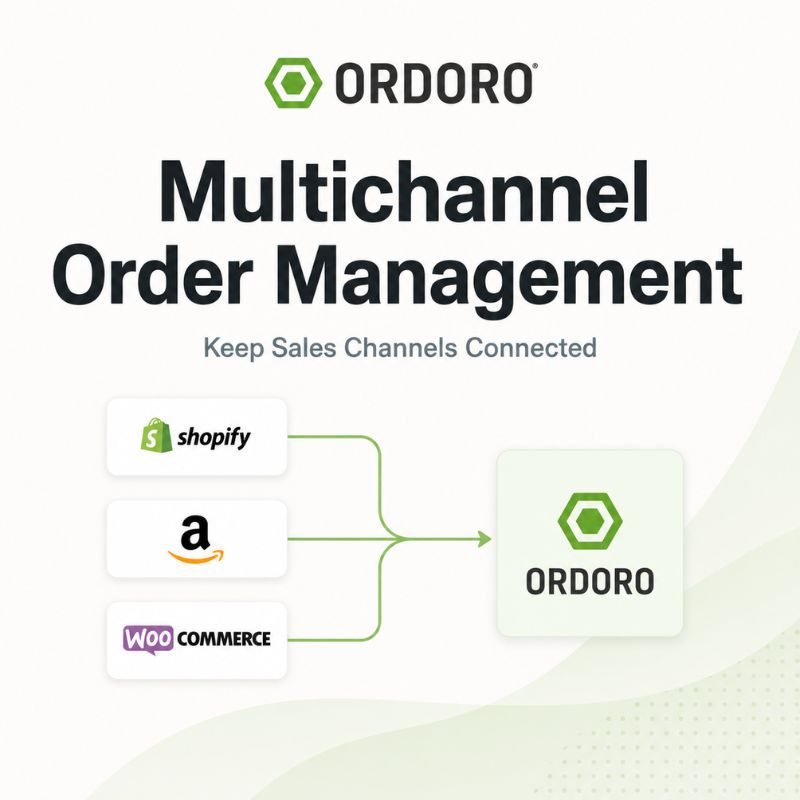
The first step in multichannel order management is bringing orders into one system. Instead of checking each storefront and marketplace separately, employees can review new orders, orders ready to ship, orders on hold, partially fulfilled orders, and fulfillment exceptions from one place.
Ordoro’s order management tools import orders from supported sales channels so merchants can process them through a shared fulfillment workflow.
Centralizing orders also makes it easier for customer service, warehouse, and operations teams to work from the same information.
For a broader explanation of the complete order lifecycle, read our guide to eCommerce order management.
Keep Inventory Synchronized Across Channels
Inventory becomes one of the biggest risks in a multichannel operation. When each channel maintains a separate quantity, several channels may try to sell the same final unit. Employees may also update one storefront while forgetting another.
A centralized inventory system can reduce available stock when an order arrives and send the updated quantity to connected channels.
Ordoro’s multichannel inventory management tools help merchants synchronize quantities, track stock across warehouses, manage kits and bundles, create purchase orders, and monitor low-stock products.
Accurate inventory helps reduce overselling, canceled orders, backorders, and customer disappointment.
Keep Product Data and SKUs Consistent
A product should use consistent identifiers across every connected system whenever possible.
For example, a merchant may list the same product under different titles on Shopify, Amazon, and eBay. The customer-facing descriptions can vary, but the internal SKU should still allow the business to recognize that each listing draws from the same inventory.
Inconsistent or duplicated SKUs can cause:
- Incorrect inventory updates
- Failed order imports
- Duplicate product records
- Fulfillment mistakes
- Reporting problems
- Difficulty matching returns to inventory
Merchants should establish clear rules for product names, SKUs, variations, bundles, and channel-specific listings before adding more sales channels.
Route Orders to the Right Fulfillment Location
A multichannel order does not always ship from the same place. The business may fulfill orders through its own warehouse, another company location, a third-party logistics provider, or a dropshipping supplier. Some orders may require products from more than one source.
Order-routing rules can help determine where an order should go based on inventory availability, destination, product, sales channel, supplier, or delivery requirement.
Ordoro supports order routing to warehouses, 3PLs, and dropshipping suppliers as part of a connected order workflow.
The team should still be able to identify exceptions, such as an unavailable product or a supplier that cannot meet the promised delivery date.
Manage Shipping Through One Workflow
Processing labels inside each individual sales channel can create repetitive work and inconsistent shipping decisions.
A centralized shipping workflow allows merchants to compare available services, apply shipping presets, create labels in batches, and manage orders from multiple channels together.
Ordoro’s shipping management tools bring supported carriers and sales channels into one workflow.
This can also help the business apply consistent rules for packaging, carrier selection, insurance, delivery speed, and order verification.
Return Tracking Information to the Original Channel
Once an order ships, the tracking number and shipment status should return to the sales channel where the customer placed the order. Without an integration, employees may need to copy tracking details back into every marketplace or storefront manually. Automating that step saves time and helps customers receive timely shipment updates.
For more on how connected systems exchange order, inventory, and tracking information, read our guide to eCommerce data integration.
Prepare for Split Shipments
Some multichannel orders require more than one package. A product may ship from the main warehouse while another comes from a supplier or secondary location. One item may also be ready before the rest of the order. The order management system should clearly show which items have shipped, which remain open, and which tracking number belongs to each package.
Without that visibility, employees may close an incomplete order, ship an item twice, or give the customer incorrect information.
Create Consistent Return Processes
Returns can become complicated when orders originate from several channels. Each marketplace may have its own return policies, deadlines, refund procedures, and customer-communication requirements. The business also needs to determine where the returned item should go and whether it can reenter available inventory.
A clear multichannel return process should define:
- Which system records the return
- Where customers send the product
- Who inspects the item
- When the refund is issued
- How inventory status changes
- Whether marketplace-specific rules apply
Returned inventory should not automatically become available for resale until someone confirms its condition.
Use Automation Without Hiding Exceptions
Automation can reduce repetitive work across multichannel orders. Rules may assign warehouses, add tags, apply shipping presets, route orders to suppliers, or identify orders that require special handling.
However, automation should not make unusual orders disappear. Teams still need a clear view of address problems, unavailable inventory, restricted products, delayed suppliers, and other exceptions.
The goal is to automate predictable decisions while keeping problems visible.
Signs Your Channels Are Too Disconnected
A merchant may need a centralized multichannel system when:
- Employees check several platforms for new orders
- Inventory quantities differ by channel
- Tracking numbers are entered manually
- Orders are occasionally missed
- Fulfillment rules vary by employee
- Split shipments are hard to follow
- Customer service cannot quickly find order status
- Reports require combining multiple spreadsheets
- The business frequently oversells products
- Adding a new channel creates significantly more manual work
These problems often become more visible during busy selling periods, but the underlying issue exists throughout the year.
How to Choose Multichannel Order Management Software
Before selecting a system, identify the channels and workflows the business needs to connect.
Ask whether the software can:
- Import orders from every important sales channel
- Synchronize inventory across channels
- Support multiple warehouses
- Manage kits and product variations
- Route orders to suppliers or 3PLs
- Compare shipping rates
- Return tracking details to each channel
- Support split shipments and partial fulfillment
- Connect through an API when needed
- Provide support as the operation grows
Review Ordoro’s supported integrations to see which storefronts, marketplaces, carriers, suppliers, and business systems can connect.
Multichannel Order Management FAQs
What is multichannel order management?
Multichannel order management brings orders from multiple storefronts, marketplaces, wholesale channels, and other sales sources into one system for fulfillment, shipping, tracking, and post-purchase management.
What is the difference between multichannel and omnichannel retail?
Multichannel retail means selling through more than one channel. Omnichannel retail focuses on creating a coordinated customer experience across those channels, such as allowing customers to buy online and return in a store.
How does multichannel order management prevent overselling?
The system can reduce available inventory when an order arrives and synchronize the updated quantity across connected channels. This lowers the risk that several channels sell the same remaining stock.
Can multichannel software manage multiple warehouses?
Many systems can track stock and route orders across multiple warehouses or fulfillment locations. Merchants should confirm how the software handles allocation, transfers, and warehouse-specific availability.
Does multichannel order management include shipping?
It often does. A connected platform may centralize orders, compare shipping services, create labels, update order status, and return tracking information to the original sales channels.
When should a business adopt multichannel order management software?
It may be time when employees spend significant time switching between platforms, updating stock manually, copying tracking numbers, or correcting errors caused by disconnected systems.
Bring Your Multichannel Orders Into One Workflow
Selling through more channels should expand the business without creating a separate fulfillment process for each one.
Ordoro helps merchants import orders from supported sales channels, synchronize inventory, route fulfillment, compare shipping rates, create labels, and return tracking information from one platform. See Ordoro’s Order Management Tools
Already comparing platforms for your multichannel operation? Book a Demo