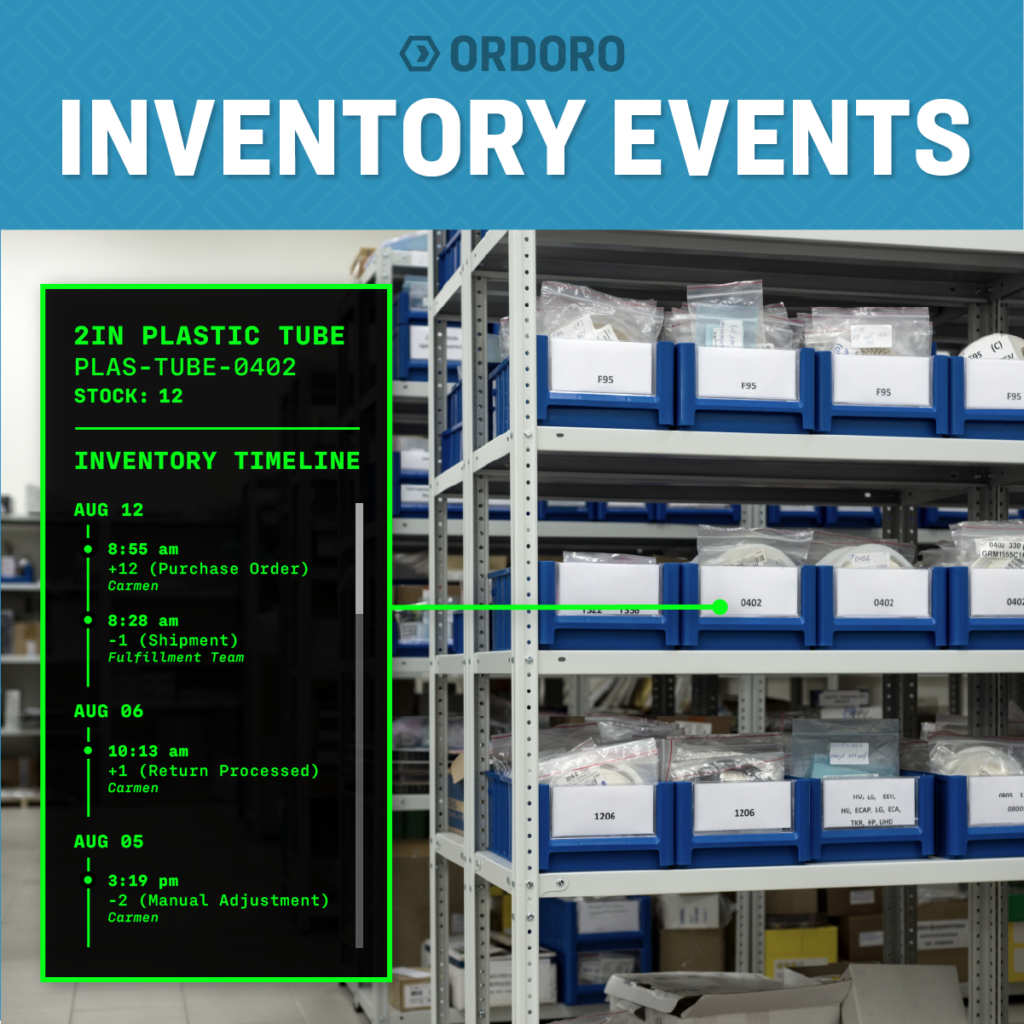
Your inventory management system can tell you how much stock you have right now. But when that number does not match what your team expected, Inventory Events can help answer the more important question: What changed?
Maybe inventory increased after a Purchase Order was received. Maybe units were committed to new orders, returned to stock, adjusted during a stocktake, or used during manufacturing. Without a clear inventory history, finding the answer can mean checking several records or asking different team members to piece together what happened. That is where Inventory Events comes in.
Inventory Events gives Ordoro users a detailed, SKU-level history of the activity behind their inventory totals. It helps teams understand what changed, when it happened, why it happened, and how the event affected inventory.
What Are Inventory Events?
Inventory Events are records of actions that affect a product’s inventory. Together, those records create an inventory audit trail for an individual SKU. Instead of seeing only the current quantity, your team can review the sequence of events that led to it.
An Inventory Events report can show:
- The SKU and warehouse connected to the event
- The date, event type, user, and reason for the change
- The effect on Physical on Hand, Available on Hand, Committed, and PO Reordered quantities
This context can help teams investigate inventory discrepancies, answer internal questions, and better understand how activity across the business affects stock.
Inventory accuracy remains a central part of effective inventory management because stock is constantly moving into, out of, and between warehouses. Maintaining that accuracy becomes more difficult as the number of products, locations, and workflows grows.
When Inventory Numbers Need More Context
Inventory changes throughout the day for many valid reasons. Orders are placed, shipments are processed, Purchase Orders are received, products are returned, and inventory is adjusted.
The challenge begins when the current quantity does not match what someone expected. A product may appear to be short because units were committed to open orders. A Purchase Order may have been partially received. A stocktake may have corrected a previous count. A return may not have been added back to available inventory.
Without an inventory history, all of those situations can initially look like the same problem: the number changed.
Inventory Events gives your team a clearer place to begin. You can review the activity associated with the SKU rather than searching through purchasing, fulfillment, receiving, and adjustment records separately.
This makes it easier to answer questions such as:
- When did the quantity change?
- Which warehouse was affected?
- Was the change connected to an order, return, or Purchase Order?
- Was inventory adjusted manually?
- Which user or workflow was connected to the event?
- How were available and committed quantities affected?
This does not prevent every discrepancy, but it can make the cause much easier to investigate.
Inventory Activity You Can Track
Inventory Events can help you review activity across several parts of your operation. Instead of seeing only that a quantity changed, your team can better understand which workflow affected the SKU and how the inventory totals were updated.
Shipments and Order Fulfillment
When orders are fulfilled and shipped, inventory quantities change. Inventory Events connects that activity to the product involved, giving fulfillment and inventory teams a clearer record of what occurred. This can help your team confirm whether a change was tied to normal order activity rather than an unexplained inventory discrepancy.
Purchase Order Receipts
Receiving inventory should increase stock for the products that actually arrived. Inventory Events helps teams review Purchase Order and Goods Receipt activity at the SKU level. For more on creating, receiving, and managing POs, read our complete guide to Purchase Orders for eCommerce.
Returns
Returned products may be added back into available inventory, handled through a different status, or excluded from sellable stock depending on their condition. Inventory Events helps document the inventory impact of that return activity, giving teams more context when returned quantities do not appear where expected.
Manual Inventory Adjustments
Sometimes inventory needs to be corrected manually because of damage, counting errors, misplaced stock, or another operational issue. A detailed event record can show when the adjustment occurred, who made it, why it was made, and how the product’s inventory totals changed. This is especially helpful when several employees have permission to update inventory.
Stocktakes
Stocktakes often reveal differences between the quantity recorded in the system and the inventory physically present in a warehouse. Inventory Events gives teams a record of the resulting correction, making it easier to see when inventory was adjusted and how the stocktake affected the product’s totals.
Regular counts and targeted checks can help businesses identify problem SKUs and catch discrepancies before they become larger issues. Ordoro customers can also use Stocktake to count inventory by scanning items or entering quantities, then compare those counts with the inventory recorded in Ordoro.
Manufacturing
Manufacturing workflows can consume components and create finished goods, causing inventory to change at several stages of production. Inventory Events helps teams follow those changes at the SKU level and better understand how manufacturing activity affected both component and finished-product inventory.
How Inventory Events Can Help With Inventory Discrepancies
Consider a product whose Physical on Hand quantity is lower than expected. Without a detailed history, your team may begin by checking open orders, recent shipments, Purchase Orders, returns, and manual adjustments one at a time.
With Inventory Events, the team can review the sequence of activity connected to the SKU. The report may show that units were committed to orders earlier in the day, a stocktake corrected an inaccurate count, or manufacturing activity used the product as a component.
In another situation, the report may show that a Purchase Order was only partially received or that a returned item was handled differently than expected. The purpose is not simply to produce more data. It is to give your team a useful starting point when an inventory number needs an explanation.
Who Benefits Most From Inventory Events?
Inventory Events can help any merchant who needs more context around inventory changes, but it becomes especially valuable as operations grow more complex. It may be a strong fit for businesses that manage frequent purchasing and receiving, operate multiple warehouses, use manufacturing workflows, perform regular stocktakes, or have several employees making inventory updates.
It can also help teams that have outgrown spreadsheet inventory management. A spreadsheet may show the latest quantity, but it does not always provide a dependable record of the system activity and operational workflows behind each change.
For merchants evaluating inventory software, this level of visibility is worth considering. Knowing the current quantity is important, but growing businesses should also ask whether they can:
- Trace changes at the SKU level
- Identify the warehouse affected
- See the user or workflow behind an event
- Review purchasing and receiving activity
- Understand how physical, available, committed, and reordered quantities changed
Inventory Events is one part of Ordoro’s broader eCommerce inventory management capabilities, which connect orders, purchasing, receiving, manufacturing, and fulfillment in one system.
How to Access Inventory Events in Ordoro
Inventory Events reports can be requested from an individual product’s detail page in Ordoro. Once the report is ready, it appears in the Reports Activity Log for download. Inventory Events is available on Ordoro’s Inventory Advanced and Premium plans.
Already have access? Follow the step-by-step guide to download an Inventory Events report.
Not sure whether your current plan includes Inventory Events? Compare Ordoro’s inventory plans to review available features and find the right fit for your operation.
Frequently Asked Questions
What is an inventory event?
An inventory event is an action that affects a product’s inventory quantities. Examples include shipments, Purchase Order receipts, returns, stocktakes, manufacturing activity, and manual adjustments.
What is an inventory audit trail?
An inventory audit trail is a chronological record of the activity that changed a product’s inventory. It provides context around what happened, when it happened, and who or what was connected to the change.
Can Inventory Events help identify an inventory discrepancy?
Inventory Events can help your team investigate a discrepancy by showing the sequence of activity associated with a SKU. This can make it easier to determine whether the change came from fulfillment, receiving, returns, stocktakes, manufacturing, or another workflow.
What information is included in an Inventory Events report?
The report can include the SKU, warehouse, date, event type, user, reason for the event, and the impact on inventory totals such as Physical on Hand, Available on Hand, Committed, and PO Reordered.
Do Inventory Events track Purchase Order activity?
Yes. Inventory Events can include Purchase Order and Goods Receipt activity, giving teams more context when reviewing purchasing and receiving changes.
Which Ordoro plans include Inventory Events?
Inventory Events is available to customers on Inventory Advanced and Premium plans.
See the Story Behind Your Inventory Numbers
Inventory totals tell you where your stock stands. Inventory Events helps explain how you got there. With a detailed SKU-level history, your team can investigate discrepancies faster, review the impact of purchasing and receiving activity, and answer inventory questions with greater confidence.
Exploring a better way to manage inventory? Start a free trial and see how Ordoro connects inventory, purchasing, orders, and fulfillment.
- Commerce Corner: Big Spending, Small Business Wins & Fresh Features
- Small Businesses Are Making a Very Big Economic Impact
- Shoppers Just Spent Nearly $10 Billion. And It’s Not Even Black Friday Yet.
- Etsy Wants Shipping to Feel Cheaper. What Does That Mean for Sellers?
- Your eBay Shipping Costs Might Look Different This Holiday Season